


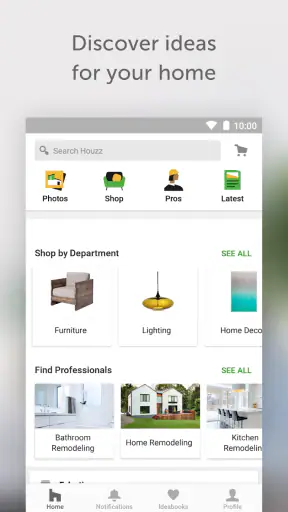
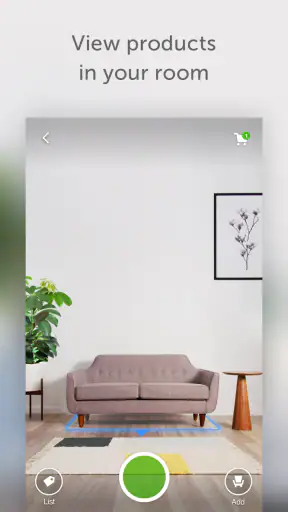

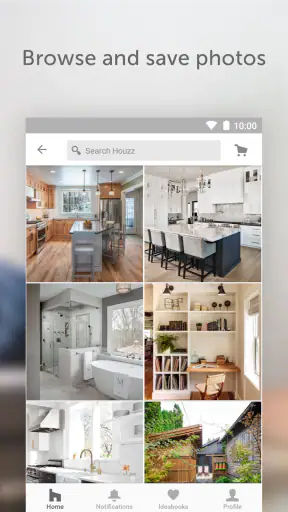

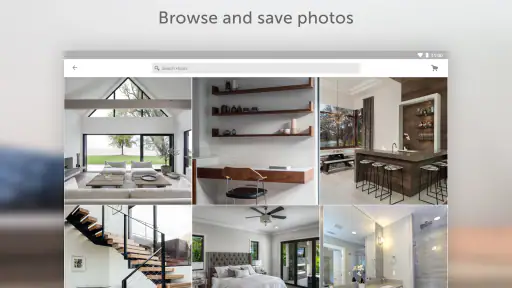
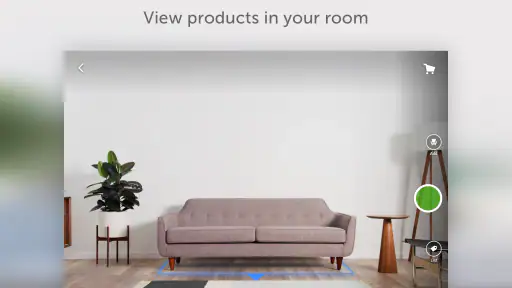
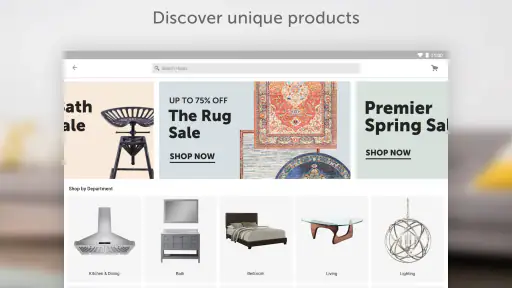
When I want to plan a room without immediately opening a spreadsheet, calling a contractor, or wandering through furniture shops, Houzz is one of the first apps I reach for. It sits somewhere between a visual idea book, a renovation planning tool, and a directory for finding home professionals. That combination is what makes it more useful than a simple gallery, although it also means the experience can feel broader and less focused than a dedicated interior-design app.
I reviewed Houzz - Home Design & Remodel as a free House & Home app from Houzz Inc. It is aimed at people who are collecting ideas, comparing styles, preparing a remodel, or trying to turn a vague thought such as “I need a warmer kitchen” into something more concrete. The app is suitable for Everyone, runs on Android from version 6.0 onward, and its current version is 26.8.11.
Its popularity is easy to understand: the app has passed 10 million installs, carries a 4.6 average from around 403 thousand ratings, and has roughly 39 thousand written reviews. Those figures suggest a mature product with a large audience, but they do not remove the need to judge whether its particular workflow fits the way you plan a home.
How Houzz feels in everyday use
The strongest part of the app is the way it helps me move from inspiration to a more practical conversation. I can browse rooms, notice details I would not have searched for directly, and save ideas that belong to the same project. A photo of a kitchen may lead me to a cabinet style, a lighting arrangement, a backsplash treatment, or a layout idea. That chain of discovery is more natural than trying to guess the correct search phrase before I know what I want.
I find the visual browsing especially useful at the beginning of a project. At that stage, I am not ready to choose a specific product or commit to a design. I need to discover patterns in my taste. After saving several rooms, it becomes easier to see whether I am consistently drawn to open shelving, muted colors, dark hardware, natural wood, or a particular balance between storage and display space. That makes the app valuable even when I am not ready to contact a professional.
The experience is not limited to decoration. Houzz is also built around renovation advice and local professionals, so it can remain relevant when the project becomes more serious. I can use the visual side to explain the result I want, then use the professional side to think about who might help deliver it. In my experience, this is the app’s most meaningful difference from a purely image-based alternative.
There is also a useful psychological benefit. Renovation decisions can feel overwhelming because every choice affects another choice. Browsing complete rooms gives me context. Instead of considering a tile in isolation, I can see how a similar surface works beside cabinetry, flooring, lighting, and furniture. I still need measurements and expert advice, but the app helps me ask better questions before those conversations happen.
Building a project instead of collecting random pictures
A common mistake is to save everything that looks attractive. That creates a large pile of unrelated images and does not make a renovation easier. I get more value from treating saved ideas as a working reference: one group for the kitchen, another for the living room, and separate collections for details such as lighting, storage, flooring, or color combinations.
This is one of the less obvious ways to use Houzz effectively. I would not save an image only because the room looks beautiful. I would also note what I am studying in it. A room might be useful because of its circulation, the position of its windows, the scale of its island, or the way it hides appliances. That turns visual browsing into a design brief rather than an endless stream of attractive photographs.
For a realistic everyday example, imagine that I am preparing to refresh a small apartment kitchen. I could spend an evening saving complete kitchens, but that would not answer the practical questions. Instead, I would create a focused collection of compact layouts, shallow storage, under-cabinet lighting, durable worktops, and seating that does not block the walking route. When speaking with a designer or contractor, I could show the collection and explain which elements are essential and which are merely visual preferences.
That distinction matters because an inspiration image is not a construction plan. A room may look spacious because of a wide-angle photograph, careful styling, or a layout that would not work in my own home. Houzz helps me communicate the mood and priorities, but I still have to verify dimensions, materials, local building requirements, and installation costs elsewhere.
Where the professional directory fits
The local-professional side is helpful when I have reached the point where browsing alone is no longer enough. It gives the app a practical direction: I am not just looking at finished spaces, I am also considering the people who could help with design, construction, remodeling, or related work. That makes Houzz more relevant for a homeowner with an active project than for someone who only wants wallpaper inspiration.
I would still approach this part carefully. A directory can shorten the search for candidates, but it should not replace checking portfolios, asking about scope, confirming availability, and comparing written estimates. I would use the app to create a shortlist, then evaluate each professional independently and make sure the person understands the actual constraints of my home.
The best workflow is to contact a professional only after preparing a compact visual brief. A collection with a clear explanation of what I like, what I dislike, and what must remain unchanged is more useful than sending a dozen disconnected images. This is a practical strength of combining the idea-browsing and professional-discovery functions in one place.
What the current version means for existing users
The current release, 26.8.11, shows that the app is still being maintained as an active product rather than left as an old catalog. For existing users, that is reassuring because a mature home-planning app needs ongoing attention: image browsing, saved projects, search, and professional discovery all depend on a stable experience over time.
At the same time, a version number alone does not tell me that every part of the app has changed dramatically. I would view the current release as a reason to keep the app installed and updated, not as a promise of a completely different design workflow. The core value remains the same: visual research connected to home decisions and access to local expertise.
That continuity is good for people who have already built collections. A project archive is only useful if I can return to it while my renovation develops. I appreciate apps that let an idea remain useful after the initial browsing session, and Houzz is best understood in that longer timeline. I can start with broad inspiration, narrow the style, prepare questions, and then use the same material during professional discussions.
New users should not expect the app to make design decisions automatically. Its strength is helping me see possibilities and organize my thinking. The final choices still depend on my budget, room dimensions, maintenance preferences, household needs, and local conditions. That is not a defect in the app; it is simply the boundary between visual planning and actual construction.
Useful habits that make the app less overwhelming
My first recommendation is to search by a combination of room, problem, and style rather than by a broad term alone. “Kitchen” produces an enormous range of results. A more specific goal, such as a compact kitchen with concealed storage or a bright kitchen with dark lower cabinets, gives the browsing session a purpose. I can then compare ideas that solve a similar problem instead of judging unrelated rooms.
My second recommendation is to separate “looks good” from “could work here.” I would keep one collection for visual direction and another for realistic possibilities. The first can be ambitious; the second should reflect the home’s proportions, existing features, and likely maintenance. This prevents an attractive but impractical image from becoming an accidental commitment.
A third useful habit is to save details at different distances. Full-room images explain layout and atmosphere, while close views help with finishes, handles, lighting, trim, and storage. If I save only complete rooms, I may remember the feeling but forget the specific detail that created it. If I save only close-ups, I lose the context needed to judge whether the detail belongs in my space.
I also recommend writing a short note beside each important idea, even if the app makes it tempting to rely on the image alone. I might write “like the hidden bin,” “not the open shelves,” or “check whether this works beside the window.” Those small reminders make a collection much more useful weeks later, when the original browsing session is no longer fresh in my mind.
Where the experience can become frustrating
The breadth that makes Houzz interesting can also make it feel busy. Someone who wants a simple tool for arranging furniture may find the combination of articles, images, products, and professionals more than necessary. The app is not the most direct choice if my only goal is to draw a measured floor plan or test whether a sofa fits through a doorway.
It can also encourage unrealistic expectations if I treat photographs as direct shopping or construction instructions. A polished room represents many decisions that are not visible in the image, including lighting conditions, structural work, installation quality, and ongoing care. I have to resist the urge to copy a look without understanding what makes it suitable for my household.
The professional-discovery function has a similar limitation. Finding a candidate is easier than deciding whether that candidate is right. I would not choose someone solely because a profile or portfolio appears attractive. Renovation work involves communication, timelines, materials, and responsibility for details that an image cannot show.
Another trade-off is that the app is more valuable when I am willing to organize information. Casual scrolling is enjoyable, but it can become a distraction. If I do not create focused collections or define a question before browsing, I may finish with more ideas and less clarity. Houzz rewards deliberate use more than passive consumption.
Who should use it and who should choose something else
I think Houzz is a strong fit for homeowners at the discovery stage, people preparing for a remodel, renters looking for non-structural improvements, and anyone who needs help explaining a visual preference. It is particularly useful when I know the room I want to improve but do not yet know the language for the style or layout I have in mind.
It is also a good companion for a professional consultation. Rather than trying to describe “modern but comfortable” with words alone, I can assemble examples and point out the parts that matter. The collection does not replace a brief, but it gives the conversation a concrete starting point and can reveal contradictions in my own preferences before someone begins designing.
I would skip it if I want a highly technical planning instrument, a dedicated renovation budget tracker, or a precise room-measurement workflow. In those cases, a specialized floor-plan, estimating, or project-management tool would be a better primary choice. I might still use Houzz for visual references, but I would not expect it to handle every stage of a construction project.
I would also be cautious about recommending it as the only tool for a major renovation. For a project involving structural changes, electrical work, plumbing, or complex approvals, the app is best used to communicate goals and collect references. Professional drawings, site measurements, contracts, and local requirements remain essential.
How it compares with familiar alternatives
Compared with a general image-sharing platform, Houzz feels more purposeful for home decisions. A broad platform may offer more unrelated inspiration and a wider range of creative content, but Houzz keeps the center of gravity on rooms, remodeling, products, and professionals. That focus makes it easier for me to move from “I like this” toward “What would I need to ask about this?”
Compared with a furniture-shopping app, it is less direct when I already know the exact item I want. Shopping apps are usually better for filtering by dimensions, availability, and purchase details. Houzz is more useful earlier, when I am still deciding what kind of room or solution suits me. It helps with direction before selection.
Compared with a floor-planning application, Houzz offers richer visual context but less emphasis on precise spatial testing. I can discover a layout idea there, then use a measurement-focused tool to check whether the idea actually fits. In my view, those products work better together than as substitutes.
Compared with contacting local professionals through a general search engine, Houzz provides a more visual starting point. I can look for people whose previous work resembles the atmosphere I want. Still, general search may be better when I need highly local information, urgent availability, or a very specific trade. The practical choice depends on whether visual matching or immediate service details matter more.
Privacy, cost, and practical expectations
The app is free, which makes it easy to try without turning a browsing session into a purchase decision. That is important for early-stage planning, when I may be months away from hiring anyone or buying materials. Free access also makes it suitable for comparing styles before committing to a more specialized paid tool.
Free does not mean the app can answer every financial question for a renovation. I would not use the images as a reliable cost estimate, and I would not assume that a professional found through the app will suit every budget or schedule. The sensible approach is to use Houzz to clarify the desired result, then request detailed information directly from the relevant professionals and suppliers.
The Everyone age rating makes the app broadly accessible in a household setting. I can show ideas to family members or use it together with someone who is not comfortable with technical design software. That shared, visual quality is one reason I see it as more approachable than tools built around measurements and drafting from the first screen.
What I would like users to watch as the product evolves
For future updates, I would pay attention to how smoothly the app connects inspiration with action. The most valuable improvements would be those that help users keep a collection organized, distinguish visual references from practical specifications, and move into a professional conversation without losing the context of the original idea.
I would also watch whether the balance between discovery and focus remains comfortable. Houzz needs enough visual variety to spark ideas, but too much noise can make a project harder to manage. For me, the best direction would be a clearer path from browsing a room to identifying its useful details, recording constraints, and preparing a concise brief.
Existing users should keep their expectations grounded: a maintained current version is positive, but the app should still be treated as a planning companion rather than a replacement for measurements, contracts, technical drawings, or professional judgment. New users will get the best results if they begin with one room and one question instead of trying to redesign the entire home in a single session.
After using it, my opinion is favorable. Houzz is not a complete renovation-management system, and it is not the right tool for precise spatial calculations. What it does well is more specific and more useful: it helps me discover a direction, collect evidence of what I like, notice practical details in finished spaces, and find a path toward local professional help.
My recommendation is to use it as the visual planning layer of a larger process. Start with a focused project, save ideas for a reason, write down the details that matter, and treat every photograph as inspiration rather than proof that the same result will work in your home. Used that way, this free app from Houzz Inc. can turn an uncertain decorating or remodeling idea into a clearer, more manageable conversation.


